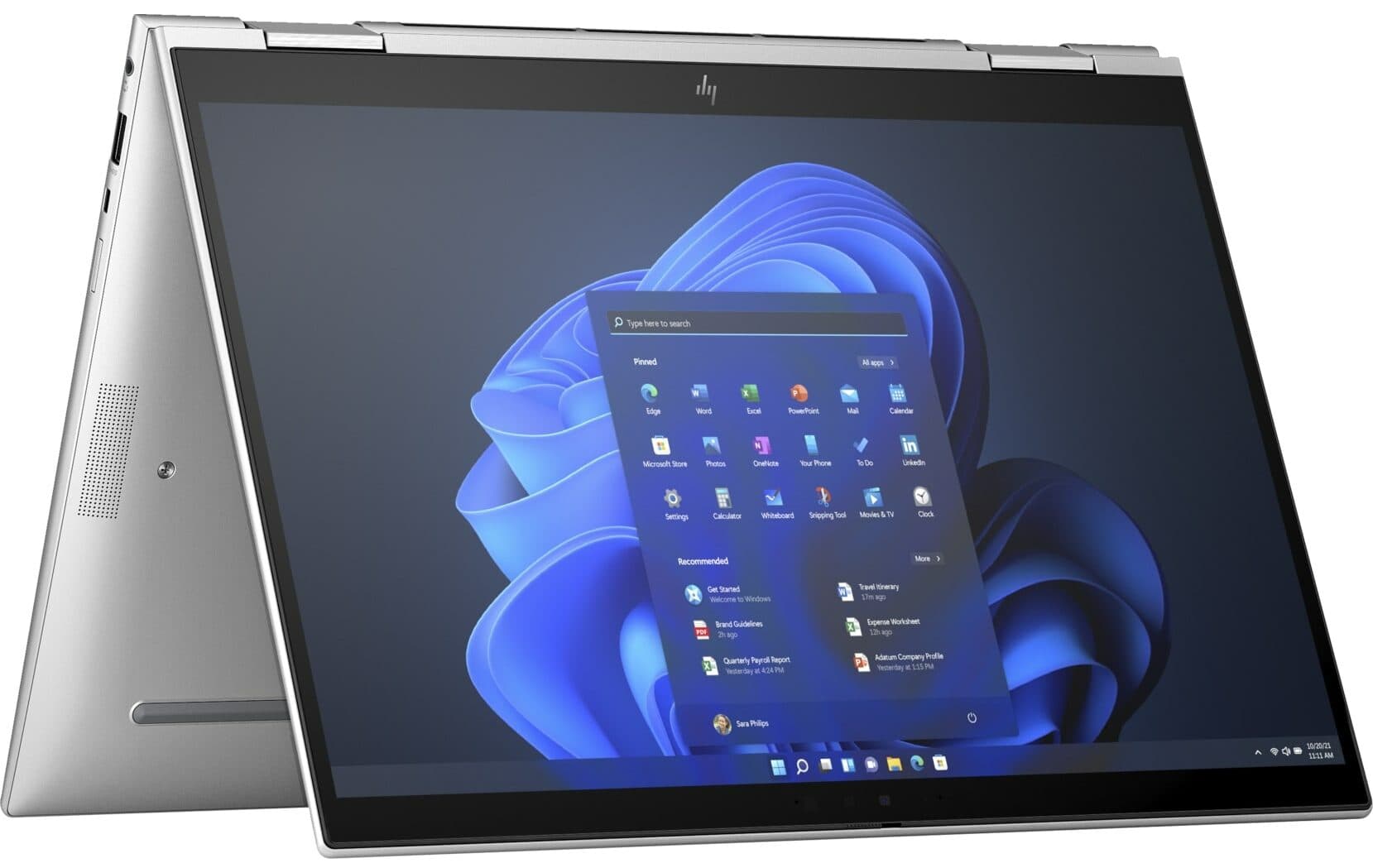
Open Box / Like New
HP · EliteBook
HP Elite x360 830 G10 - Premium 13th Gen Convertible Business Laptop
Intel Core i5-1345U · 16GB RAM · 256GB SSD
13" · Touch · Windows 11 Pro
S$749.00
From S$63/mo
✓ Up to 6-month warranty


Technical Guides
Is 80% battery health good enough for a used laptop? Learn how laptop battery health works, how to check it on Windows and Mac, what cycle count means and what to look for before buying.
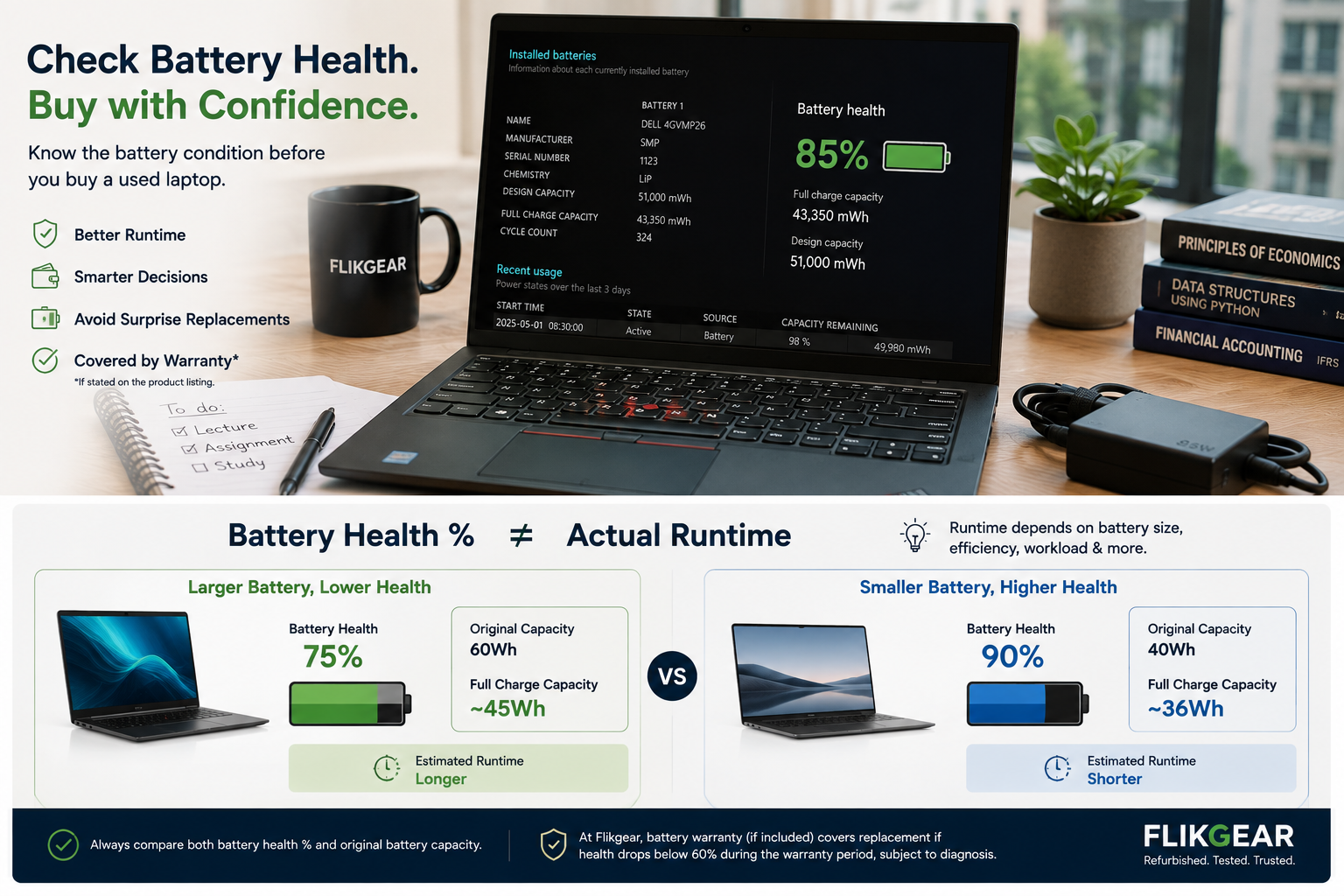
Battery condition is one of the biggest unknowns when buying a used or refurbished laptop. It also helps to understand how used, refurbished and open-box laptops differ before you buy.
A seller may say:
"Battery good."
That sounds reassuring, but it does not tell you very much.
A more useful question is:
How much capacity can the battery still hold compared with when it was new?
For most buyers, a used laptop with battery health above roughly 80% is a comfortable starting point. A battery between 60% and 80% can still be perfectly usable if the price, original battery size and your usage make sense.
Below 60%, we would start budgeting for a replacement.
These percentages are practical buying guidance, not an industry grading standard.
Battery runtime depends on much more than battery-health percentage.
Here is the simple version.
| Battery health | Our practical interpretation | Buying view |
|---|---|---|
| 90% to 100% | Excellent | Very attractive for a used laptop |
| 80% to 89% | Good | Comfortable for most buyers |
| 70% to 79% | Moderate wear | Fine if price and usage make sense |
| 60% to 69% | Noticeably worn | Better for desk use or with replacement planning |
| Below 60% | Heavily worn | Budget for replacement |
Again, this is Flikgear buying guidance, not a universal manufacturer scale.
A laptop with 75% battery health is not automatically bad.
A laptop with 95% battery health is not automatically great.
You still need to understand the laptop itself.
Battery health usually refers to how much energy the battery can now store compared with its original design capacity.
Imagine a laptop battery was designed to hold:
50Wh when new
After several years, it may only hold:
40Wh at full charge
A rough capacity comparison would be:
40 ÷ 50 × 100 = 80%
That gives you roughly 80% remaining capacity compared with the original design capacity.
This does not mean:
"The laptop will last exactly 80% as long as it did when new."
Real runtime is more complicated.
This causes a lot of confusion.
This is the number you see in the corner of your screen.
For example:
Battery: 72%
That means the battery currently has roughly 72% of its present usable charge remaining.
Battery health describes how much capacity the battery can still hold compared with when it was new.
For example:
Battery health: 82%
A laptop can therefore be:
It is fully charged, but the battery itself now stores less energy than it originally did.
Laptop batteries are consumable components.
They chemically age over time.
Battery wear is affected by factors including:
Apple explains that battery capacity reduces as a battery chemically ages, and that temperature history and charging patterns can affect this ageing process.
For Apple silicon Mac laptops, Apple states that a normal battery is designed to retain up to 80% of its original capacity at its maximum cycle count under normal conditions.
That gives buyers useful context.
An 85% battery in a used laptop is not necessarily "bad".
It may simply be a battery that has experienced normal wear.
For many used laptops, yes.
We generally consider 80% or higher a comfortable result for a refurbished laptop, especially when the laptop is several years old.
But the correct answer depends on how you plan to use it.
You commute from home, attend classes, work in the library and move between lecture halls.
Battery health matters a lot.
You may prefer:
Your laptop spends most of the day connected to a monitor and charger.
A battery at 70% may not inconvenience you at all.
Paying extra for 95% battery health may provide little practical benefit.
Your laptop stays on the dining table or HDB study desk.
Again, battery health may matter less than:
You move between customer meetings.
Strong battery condition becomes important again.
The same battery can therefore be perfectly acceptable for one person and frustrating for another.
This is one of the most important things to understand.
Suppose we have two laptops.
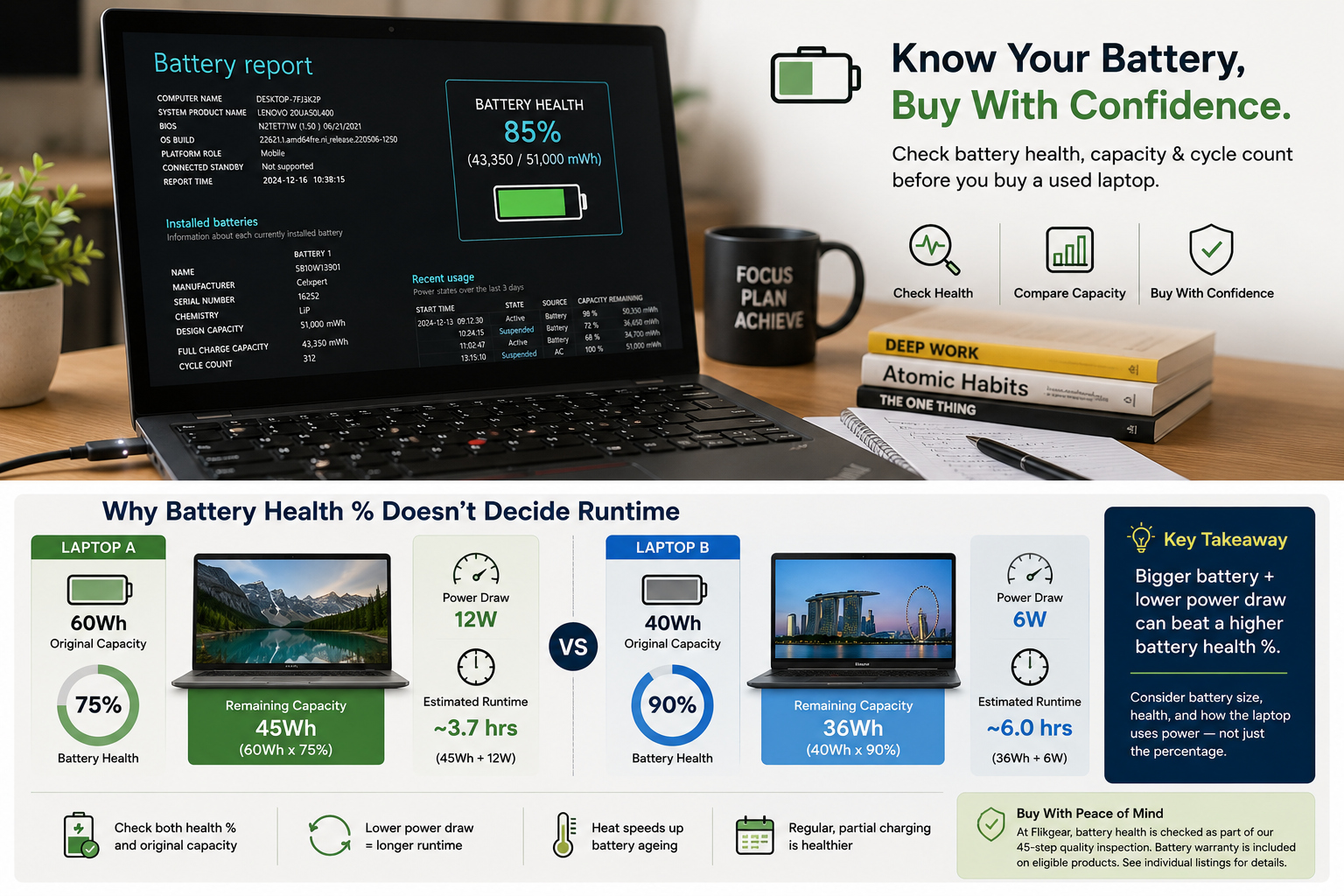
Approximate remaining full-charge capacity:
45Wh
Approximate remaining full-charge capacity:
36Wh
Despite Laptop A having the lower battery-health percentage, it may actually have more usable stored energy.
Then consider power consumption.
If Laptop A uses 12 watts during your workload and Laptop B uses only 6 watts, the runtime changes again.
This is why:
Battery health percentage is useful, but it is not a runtime guarantee.
The display can consume a significant amount of power.
Higher brightness usually reduces runtime.
Some processors are designed primarily for efficiency.
Others prioritise performance.
A mobile workstation will generally consume more power under load than a thin business ultrabook.
NVIDIA or AMD dedicated graphics can significantly increase power consumption during demanding workloads.
A high-resolution touchscreen may use more power than a basic Full HD non-touch display.
These are very different workloads:
The battery responds accordingly.
In stock now
HP · EliteBook
Intel Core i5-1345U · 16GB RAM · 256GB SSD
13" · Touch · Windows 11 Pro
S$749.00
From S$63/mo
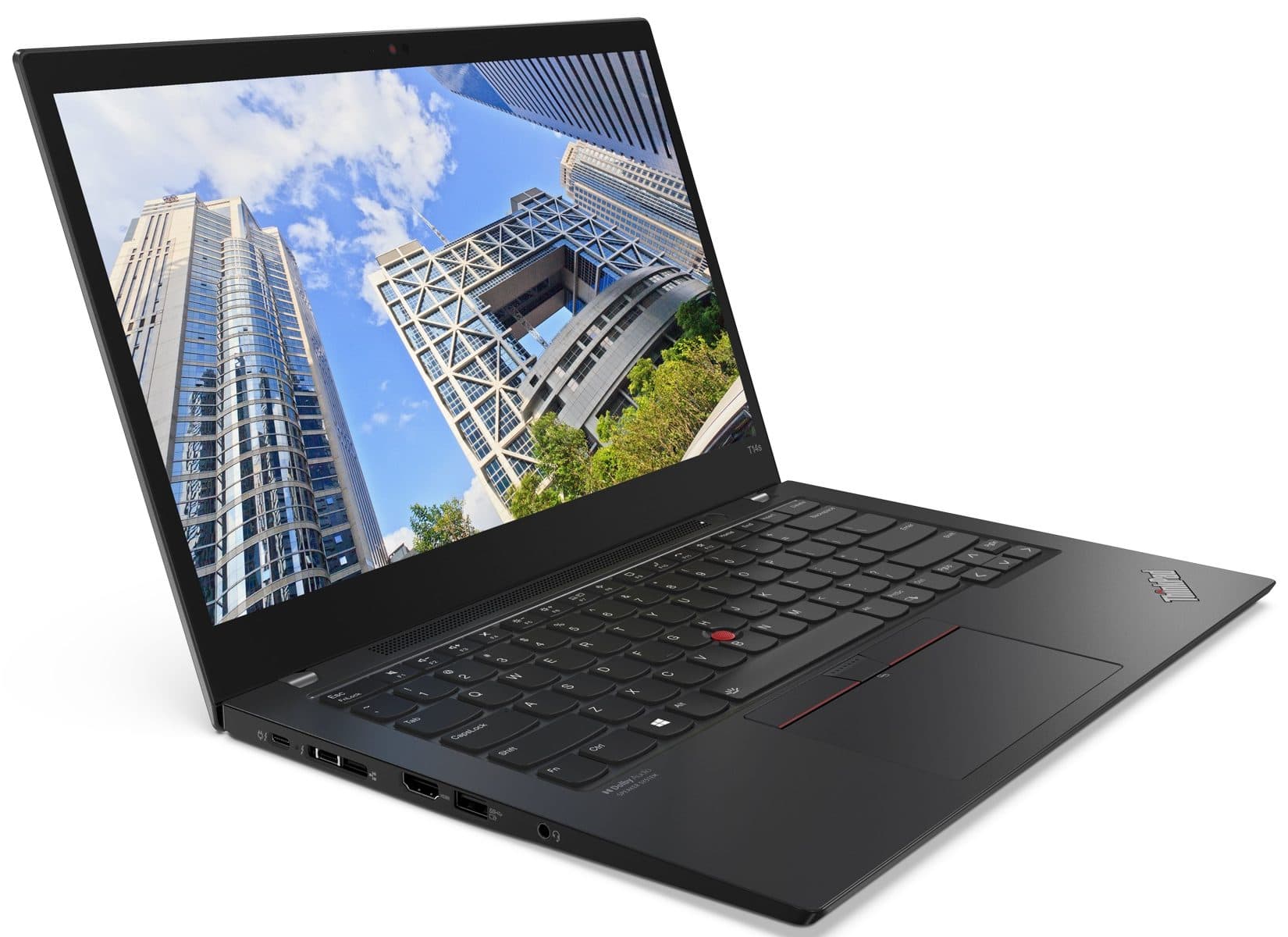
Lenovo · ThinkPad
Intel Core i7-1165G7 · 16GB RAM · 256GB SSD
14" · Touch · Windows 11 Pro
S$535.00
From S$45/mo

Lenovo · ThinkPad
Intel Core i7-12700H · 16GB RAM · 512GB SSD
15.6" · Windows 11 Pro
Dedicated graphicsS$1,075.00
From S$90/mo
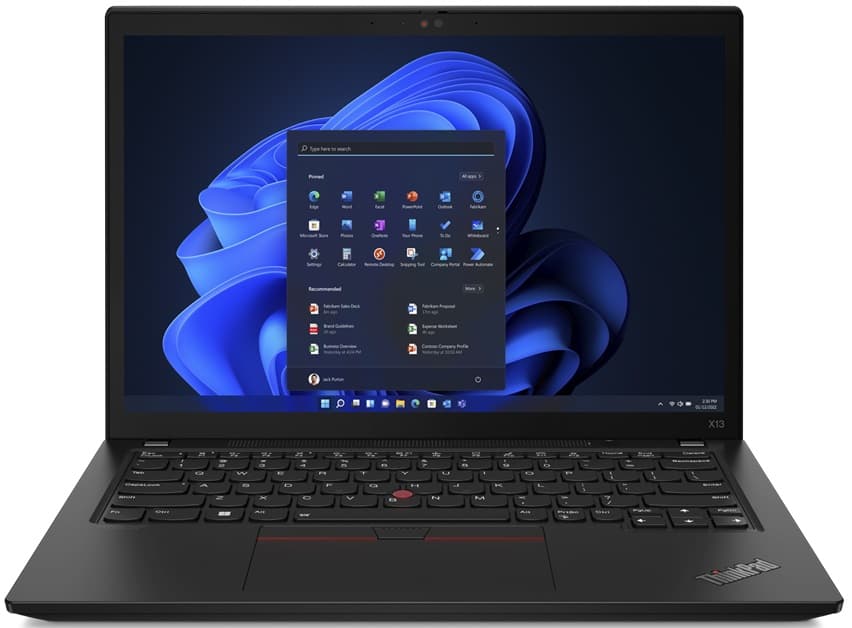
Lenovo · ThinkPad
Intel Core i5-1245U · 16GB RAM · 256GB SSD
13.3" · Windows 11 Pro
S$605.00
From S$51/mo
Cloud sync, antivirus scans, updates and browser tabs can all increase consumption.
Wireless radios and connected USB devices also use power.
A larger battery can sometimes compensate for lower health.
Windows includes a useful built-in battery reporting tool.
You do not need to install anything.
Press the Windows key and search for:
Terminal
or
Command Prompt
Enter:
powercfg /batteryreport
Windows generates an HTML battery report.
Microsoft documents the /batteryreport option as generating a report containing battery-usage characteristics over the lifetime of the system.
You can also specify where the report should be saved.
For example:
powercfg /batteryreport /output "C:\battery-report.html"
Open the generated HTML file in your browser.
Look for information such as:
The two numbers we care about most are:
Design Capacity
and
Full Charge Capacity
Design capacity:
51,000 mWh
Full-charge capacity:
43,350 mWh
Calculation:
43,350 ÷ 51,000 × 100
Result:
85%
This gives you an approximate capacity-health figure.
Different manufacturers and battery-management systems may report information differently.
Treat the result as useful evidence, not laboratory precision.
Do not focus on one number only.
Look at the overall pattern.
What the battery was originally designed to hold.
Approximately how much it currently holds when fully charged.
This can help show how capacity has changed over time.
Useful for understanding recent battery behaviour.
If capacity figures jump dramatically or look inconsistent, investigate further.
Possible explanations can include:
Do not immediately assume fraud or failure.
Ask the seller.
Apple makes this relatively straightforward.
On current macOS versions:
Depending on the Mac model and macOS version, you may see:
Apple uses statuses such as:
Normal
and
Service Recommended
"Service Recommended" generally means the battery holds less charge than it did when new or may not be functioning normally.
Maximum Capacity compares the MacBook battery's current capacity with its capacity when new.
For example:
Maximum Capacity: 91%
That means the battery currently retains roughly 91% of its original maximum capacity.
For a used MacBook, that is a strong result.
Apple states that its Apple silicon Mac laptop batteries are designed to retain up to 80% of their original capacity at their maximum cycle count under normal operating conditions.
That does not mean:
"80% is the point where the battery suddenly becomes bad."
Battery ageing is gradual.
A battery cycle is not simply:
"I plugged the charger in once."
A cycle represents cumulative use equivalent to 100% of battery capacity.
For example:
Together, that can represent roughly one charge cycle.
Cycle count gives you another clue about how much use the battery has experienced.
But cycle count is not enough by itself.
Imagine two MacBooks.
Which battery looks healthier?
MacBook A.
Battery ageing depends on more than charge cycles.
A laptop that spent years stored in poor conditions can still have low cycle count and weak capacity.
Always check both:
A laptop with a higher cycle count may still have:
If the price reflects the wear, it can still make sense.
Again, there is no single magic number.
This is very attractive for a refurbished laptop.
Especially useful for:
Do not automatically pay a huge premium, though.
If you work permanently at a desk, the difference between 91% and 98% may not matter much.
This is a range we are generally comfortable with for a properly tested used laptop.
It represents some normal battery wear while still retaining a large proportion of original capacity.
For many buyers, this is the practical sweet spot.
This is where the buying decision becomes more dependent on use.
A 75% battery may be fine for:
It may be less ideal for:
The price should reflect the wear.
At this point, we would start thinking about future battery replacement.
That does not make the laptop unusable.
It simply becomes part of the cost calculation.
Ask:
A good laptop at S$250 with a battery you may eventually replace can still be a better deal than a weaker laptop at S$400.
Do the maths.
For a main portable laptop, we would normally treat battery health below 60% as a sign that battery replacement should be considered.
That does not mean the rest of the laptop is bad.
A desktop-replacement workstation may still be useful plugged in.
But the battery condition should be:
At Flikgear, when an individual product includes battery warranty, the current warranty policy states that the battery will be replaced if its health falls below 60% during the applicable warranty period, subject to a diagnostic check.
Battery warranty is not automatically included with every device, so always check the individual product listing.
A battery can show a reasonable capacity figure and still have another problem.
A proper inspection should also consider:
Does the laptop charge consistently?
Does the machine recognise the correct charger wattage?
Does the laptop switch off unexpectedly before reaching 0%?
This is a physical safety concern.
Does the laptop lose an unusual amount of charge while sleeping?
Does the battery or charging system behave abnormally?
Does the chassis sit flat?
A swollen internal battery can push against:
If the chassis is bulging, do not treat it as harmless cosmetic wear.
Normal capacity loss happens gradually.
Battery swelling is not simply:
"This battery is old."
A swollen lithium-ion battery should be treated seriously.
Possible physical signs include:
Do not puncture or compress a swollen battery.
Arrange proper service.
Not necessarily.
You need to know:
A reputable replacement battery can dramatically improve an older laptop.
An unknown low-quality replacement can create new problems.
Ask what battery was installed.
Yes, if the replacement is good quality and installed correctly.
This can actually make a refurbished laptop more attractive.
Check:
Do not reject a laptop simply because the battery was replaced.
Batteries are consumable parts.
Replacing one is normal maintenance.
It can be.
Possible reasons include:
If an older laptop suddenly shows 100%, ask whether the battery was replaced.
That is not necessarily a red flag.
It is useful information.
You may see listings such as:
"Battery 5 hours."
Treat that as an estimate unless the testing conditions are explained.
Five hours doing what?
Without test conditions, the number is only approximate.
Students tend to benefit from stronger battery condition because they move frequently.
A typical day could include:
Our preference would generally be:
80% or higher where budget allows
But we would still compare:
A 78% battery in a highly efficient ultrabook may still be perfectly usable.
If you mainly work at:
battery health becomes less critical.
A machine around 70% to 80% health can still be perfectly reasonable if:
Use your money where it gives you the biggest benefit.
That may be:
rather than a slightly healthier battery.
Dell Precision, HP ZBook and similar mobile workstations are designed for heavier workloads.
They may contain:
These components can consume substantially more power than an ultraportable business laptop.
Therefore:
90% battery health on a workstation does not automatically mean all-day battery life.
If you need long runtime, buy the right category of laptop.
Battery health cannot change the fundamental power requirements of the machine.
Here is a practical way to think about it.
Battery health is lower priority.
Moderate priority.
High priority.
High priority.
Lower priority.
Your lifestyle determines how much money battery health is worth.
Battery and power testing forms part of Flikgear's 45-step laptop inspection.
Checks include areas such as:
Where battery information is available, Flikgear uses it to help buyers understand the condition of the unit before purchase.
The exact warranty duration and battery-warranty inclusion can vary by device.
Always check the specific product page.
Flikgear's current warranty policy distinguishes between:
Hardware warranty
and
Battery warranty
Battery warranty is included only when stated on the individual product listing.
When it is included, Flikgear's current policy provides for battery replacement if health falls below 60% during the applicable warranty period, subject to diagnosis.
This matters because a battery is a consumable component.
The goal is not to promise that a used battery will remain at its original percentage.
The protection provides a clearly defined lower threshold for qualifying units.
Always refer to the current warranty page because policies can change.
| Your situation | Battery health priority | What we would look for |
|---|---|---|
| Full-day student | High | 80%+, efficient laptop, portable charger |
| Frequent meetings | High | 80%+, USB-C charging, efficient CPU |
| Hybrid worker | Medium | 75%+ may be perfectly fine |
| Mostly desk-based | Lower | Price and specs may matter more |
| Home laptop | Lower | 70% can still be reasonable |
| Workstation user | Context dependent | Battery size and power draw matter heavily |
| Budget laptop | Context dependent | Consider replacement cost in total price |
These are buying guidelines, not minimum technical requirements.
A seller who cannot answer every technical question may not necessarily be hiding something.
But basic battery condition should not be a mystery.
Imagine two identical laptops.
If you work mostly at a desk, Laptop B may be the better purchase.
Now imagine you are a student who spends eight hours away from a charger.
Laptop A may be worth paying extra for.
There is no universal answer.
The percentage only becomes meaningful when combined with:
Yes, 80% is generally a reasonable battery-health level for a used laptop, especially if the laptop is several years old. Actual runtime still depends on the original battery size, processor, display and workload.
Not necessarily. A laptop at 70% health can still be useful for desk work or home use. For students and mobile workers, it may provide less runtime than desired, so the price and replacement cost become more important.
Only if you understand the trade-off. We would generally budget for battery replacement below 60%, particularly if portability matters.
Open Terminal or Command Prompt and run powercfg /batteryreport. The generated report contains battery-capacity and usage information. Compare full-charge capacity with design capacity for a useful estimate of remaining capacity.
Go to Apple menu, System Settings and Battery, then view Battery Health. Depending on the Mac, you can see battery condition and maximum capacity.
Neither should be viewed alone. Maximum capacity tells you how much charge the battery can currently hold relative to when new, while cycle count gives context about battery use. Check both.
Ask for evidence.
A percentage is useful.
A Windows battery report is better.
MacBook maximum capacity plus cycle count is better.
Proper inspection plus a clear warranty is better again.
You do not need a perfect battery.
You need to know what you are buying.
About the Author
Zac GJ, Flikgear
Flikgear - Singapore's trusted refurbished laptop brand